

Have you ever opened your phone to check one message, only to realise that 30 minutes have disappeared? You are not alone. Endless scrolling has quietly become part of everyday life, especially for people balancing office work, long commutes, household responsibilities, and personal goals.
The good news is that you do not need to give up your smartphone to regain control. Instead, learning how to avoid endless scrolling can help you develop healthier digital habits, improve concentration, and make more time for what truly matters.
In this guide, The Life TrackR explores practical ways to reduce unnecessary screen time and use your phone more intentionally.
Why Is Endless Scrolling So Difficult to Stop?
Imagine returning home after a tiring commute. You sit comfortably, unlock your phone, and decide to watch a few short videos before completing your remaining tasks.
Initially, the activity feels relaxing. However, one video leads to another, followed by social media updates, shopping recommendations, and trending content.
Before you realise it, an hour has passed.
Your unfinished work remains untouched, your bedtime gets delayed, and your mind feels more occupied than refreshed.
This happens partly because social media platforms are designed to keep users engaged. Features such as infinite feeds, personalised recommendations, autoplay videos, and frequent notifications make continuing easier than stopping.
Furthermore, scrolling often becomes an automatic response to boredom, stress, or tiredness.
The real problem is not using your smartphone. It is using it without a clear purpose.
Therefore, understanding your digital behaviour is the first step towards creating a healthier relationship with technology.
9 Smart Ways to Avoid Endless Scrolling
1. Check Your Daily Screen Time
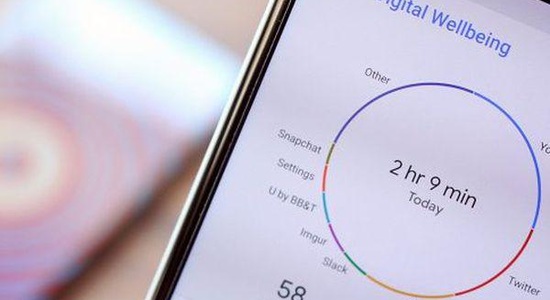
Before reducing smartphone usage, understand where your time goes. Most Android and iPhone devices provide built-in screen-time reports showing app usage, notifications, and phone pickups.
For example, you may discover that short videos consume 90 minutes while messaging takes another hour.
Action: Review your screen-time report and identify the two apps consuming the most unnecessary time. Then, set a realistic reduction target.
2. Turn Off Unnecessary Notifications
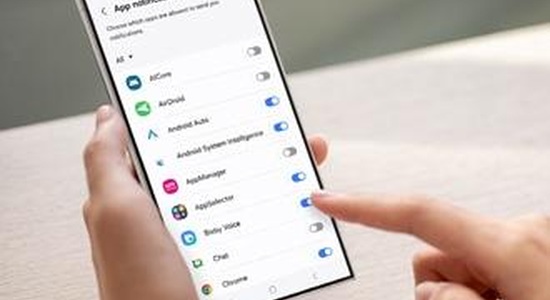
Every notification creates another opportunity to unlock your phone. Although some alerts are important, promotional messages, social media updates, and entertainment notifications rarely require immediate attention.
Consequently, frequent interruptions can disturb your concentration during office tasks and personal activities.
Action: Keep essential communication and security alerts enabled while disabling unnecessary notifications from distracting applications.
3. Create a Distraction-Free Home Screen
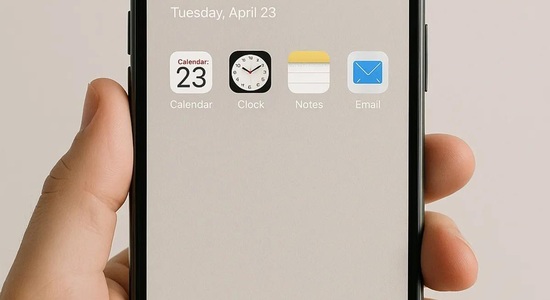
Your phone’s home screen influences what you open first. When entertainment apps appear prominently, accessing them becomes almost automatic.
Instead, arrange your home screen around useful applications such as calendars, notes, banking, maps, and learning tools.
Action: Move social media applications into a separate folder or remove them from your home screen. This small barrier encourages more conscious decisions.
4. Set Specific Social Media Time Limits
Completely avoiding social media may be unrealistic, particularly when you use it for communication, networking, learning, or entertainment.
However, unrestricted access can gradually consume valuable personal time.
For instance, you could allocate 20 minutes for social media during a planned break and another 15 minutes after completing important responsibilities.
Moreover, Android’s Digital Wellbeing and Apple’s Screen Time features allow users to set app limits.
Action: Start with limits that match your current usage, then gradually reduce them. Remember that app timers are helpful reminders rather than guaranteed barriers.
5. Stop Using Your Phone Immediately After Waking Up
Your morning routine can influence how focused and organized you feel.
Unfortunately, opening social media immediately after waking may fill your attention with messages, news, comparisons, and unnecessary information.
Instead, begin with activities that support your physical and mental well-being.
For example, drink water, stretch, prepare breakfast, or review your priorities before checking non-essential apps.
Action: Try keeping the first 20–30 minutes after waking free from recreational scrolling.
6. Replace Mindless Scrolling With Meaningful Breaks
Many people scroll because they want a break from work or household responsibilities.
Nevertheless, continuous digital stimulation does not always provide the relaxation they expect.
A short walk, conversation with family, music, reading, or quiet rest may feel more refreshing.
Additionally, choosing offline activities can reduce the habit of reaching for your phone whenever you experience boredom.
Action: Prepare three simple alternatives to scrolling that you can enjoy without spending money.
7. Keep Your Phone Away During Important Tasks
Even when you are not actively using your phone, nearby notifications and the temptation to check it can interrupt concentration.
Therefore, creating physical distance may help you stay focused.
For example, place your phone inside a drawer while completing an important assignment or preparing for an examination.
If your job requires phone access, use Focus Mode or Do Not Disturb with exceptions for essential contacts.
Action: Create one uninterrupted 25-minute work session and gradually increase the duration.
8. Avoid Endless Scrolling Before Bedtime
Late-night scrolling often begins with the intention of relaxing.
However, entertaining content, emotional discussions, and constant notifications can delay bedtime.
Furthermore, bright screens and stimulating activities close to sleep may make it harder for some people to wind down.
Instead, develop a calming evening routine involving reading, gentle stretching, or preparing for the next morning.
Action: Establish a phone-free period of approximately 30–60 minutes before bedtime whenever practical.
9. Ask Yourself Why You Are Unlocking Your Phone
One of the simplest ways to reduce unnecessary smartphone usage is to pause before opening an application.
Ask yourself:
“What exactly do I need to do on my phone right now?”
If you have a clear purpose, complete that task and put your phone away.
On the other hand, if you are unlocking your phone simply because you feel bored, consider whether another activity would better meet your needs.
Over time, this small question can help transform automatic scrolling into intentional smartphone usage.
Smart Phone Usage vs Mindless Scrolling: Understand the Difference
| Smart Phone Usage | Mindless Scrolling |
|---|---|
| Using apps with a clear purpose | Opening apps automatically |
| Learning useful skills | Consuming random content |
| Staying connected with family | Checking updates repeatedly |
| Following planned screen-time limits | Losing track of time |
| Using digital tools for productivity | Delaying important tasks |
| Feeling informed and in control | Feeling distracted or overwhelmed |
The goal is not to make your screen-time number as low as possible. Rather, it is to ensure that your smartphone supports your priorities instead of repeatedly interrupting them.
A Simple 7-Step Digital Wellness Challenge
If you want to understand how to avoid endless scrolling without making drastic lifestyle changes, start with these seven practical actions.
Your digital wellness checklist
- Review your screen-time report and identify distracting apps.
- Disable unnecessary social media notifications.
- Remove entertainment apps from your home screen.
- Set realistic daily limits for recreational apps.
- Enjoy one meal without scrolling.
- Create a phone-free period before bedtime.
- Review your progress and adjust your limits.
Importantly, avoid expecting perfection. Even reducing unnecessary scrolling by 15–20 minutes can create more space for activities you value.
How to Make Your Smartphone a Productivity Tool
Your smartphone can also help you build better routines when used thoughtfully.
For example, calendar reminders can support important appointments, note-taking apps can organise ideas, and learning platforms can help you develop useful skills.
Similarly, budgeting applications may help you monitor spending, while fitness trackers can encourage consistent movement.
However, installing productivity applications alone will not automatically improve your habits.
The real benefit comes from using technology intentionally and consistently.
Therefore, select only the tools that genuinely simplify your life instead of filling your phone with applications you rarely use.
Why Small Digital Boundaries Work Better Than Extreme Rules
Some people attempt a complete digital detox, deleting every social media application or avoiding smartphones entirely.
Although temporary breaks can be useful, strict restrictions may not suit everyone, especially those who depend on digital communication for work and family responsibilities.
Instead, create boundaries that fit your lifestyle.
For example, allow essential calls during working hours, use your phone for navigation while commuting, and enjoy planned entertainment without feeling guilty.
The important distinction is whether you are making a conscious choice.
Ultimately, digital wellness is about balance, not punishment.
Conclusion: Take Control of Your Screen Time
Learning how to avoid endless scrolling does not mean giving up social media, entertainment, or smartphone convenience.
Instead, it means recognising distracting habits, setting reasonable boundaries, and choosing how you spend your attention.
Start with one simple improvement, such as turning off unnecessary notifications or keeping your phone away during meals.
Gradually, these small changes can support better focus, more meaningful relationships, improved rest, and greater control over your daily routine.
At The Life TrackR, we believe a balanced life begins with small, practical choices. Your phone should make life easier, not quietly consume the time you want to spend living it.
#TheLifeTrackR #DigitalWellness #EndlessScrolling #ScreenTimeManagement #SmartphoneHabits #DigitalDetox #MindfulTechnology #ProductivityTips #HealthyHabits #WorkLifeBalance
Editor’s Note: This article was originally published here:https://thelifetrackr.com/how-to-avoid-the-endless-scroll-and-use-your-phone-smartly/ by @Kairav and @krutika